Last updated: August 13, 2026
If you are typing “why is my AeroGarden light blinking” into a search bar at ten at night, take a breath: on most models a blinking indicator is a reminder, not an alarm. These gardens are simple machines, a pump, an LED hood, and a timer, and nearly everything that goes wrong with them traces back to water level, root buildup, or a schedule that got reset.
This guide collects the fixes for the problems owners actually report: blinking and flashing lights, pumps that go silent or loud, grow lights that will not turn on, and pods that refuse to sprout. Work top down and you will fix most issues in minutes, without spare parts.
This article contains affiliate links. If you buy through them, we may earn a commission at no extra cost to you. Learn more.
Quick Answer
Why is your AeroGarden light blinking?
- A blinking indicator is usually a routine reminder: add water or add nutrients. Top off the tank and press the corresponding button to reset it.
- If the blinking persists with a full tank, the float sensor is often stuck or dirty; a rinse typically frees it.
- Pump and grow light failures are usually clogs, timers, or loose connections, not dead hardware. The table below sorts them.
Symptom, Cause, Fix: The Quick Reference
Start here. This table covers the complaints that dominate owner forums, in roughly the order of how often they come up. Save it for the next late night blink.
| Symptom | Most likely cause | The fix |
|---|---|---|
| Blinking water light | Reservoir low, or float sensor stuck | Top off with plain water; if it persists, rinse the float and sensor area |
| Blinking nutrient light | Feeding cycle is due | Add nutrients, then press the button to confirm and restart the cycle |
| Pump silent | Clogged intake, airlock, or low water | Fill the tank, clean root hairs from the pump, reseat it, power cycle |
| Pump loud or gurgling | Low water or debris in the impeller | Top off first; if noise continues, rinse the pump housing |
| Grow light off | Timer offset or loose hood connection | Reset the light schedule, check the arm connector, power cycle |
| Light dim or partial | Failing LED segments or dirty lens | Wipe the lens; widespread dimming is a support or replacement hood case |
| Pods not sprouting | Old seed, dome removed early, cold room | Keep domes on, keep water high, replant duds after two to three weeks |
| Smelly or green water | Algae or biofilm buildup | Deep clean the system and block light from the water surface |
Blinking Lights, Decoded
The short answer: blinking almost always means the garden wants a routine action from you. On most models, a blinking water indicator means the reservoir has dropped below the sensor, and a blinking nutrient indicator means the feeding interval, typically two weeks, has elapsed. Do the action, press the matching button, and the blinking stops.
The confusing case is a blink that survives a full tank. That is nearly always the float sensor: mineral scale or biofilm makes the little float stick, so the machine believes the water is still low. Unplug the unit, rinse the float area, work the float gently until it moves freely, and the false alarm ends. Persistent scale is a sign the system is due for the full reset in our step by step cleaning guide.
Display or touchscreen acting up
Frozen screens and unresponsive buttons on touchscreen models usually clear with a power cycle: unplug, wait a minute, plug back in. Settings like clock time can reset after an outage, which is the classic reason a garden suddenly runs its light all night. Check the schedule after any power blip.
Pump Problems: The Most Fixable Failure
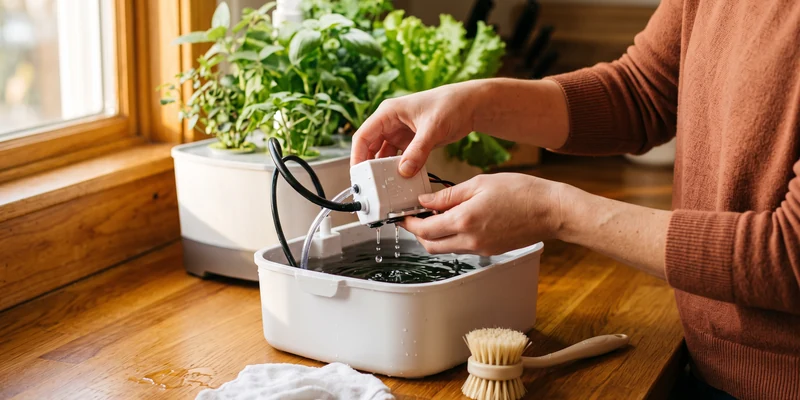
A silent pump is rarely a dead pump. Work through the causes in order: water first, clog second, airlock third. Low water makes many pumps cut out or run dry and loud, so top off before anything else. Then unplug and inspect the intake, because root hairs wrap pump inlets in every mature planting; a rinse under the tap clears them. Finally, reseat the pump and power cycle, which clears the occasional airlock after a water change.
A pump that hums louder than it used to is telling you the same story early: low water or debris in the impeller. Catching it at the noisy stage, before the silent stage, is the difference between a rinse and a replacement. Chronic clogs mean the roots and residue are winning, and the between planting deep clean is the real cure.
If the pump stays silent after a rinse, a reseat, and a power cycle, it is a serviceable part rather than a dead garden: replacement pumps for these models are sold by part number, so match the number printed on your pump before ordering.

Grow Light Not Working Right
When the hood stays dark, suspect the schedule before the hardware. The light runs a long daily cycle, commonly around 15 hours or more depending on the crop setting, and an offset clock can put the entire on window while you are at work, making a healthy light look broken. Reset the schedule so the cycle starts in the early morning.
If the schedule is right and the hood is still dark, unplug and check the connector where the hood meets the arm, which loosens when the light is raised often. A lens wipe restores more brightness than owners expect. Genuine LED failure shows as dead zones or heavy dimming across the panel, and that is a case for support, which is answering again since the brand’s spring 2025 relaunch, as covered in our shutdown and relaunch explainer.
Pods That Will Not Sprout
Germination failures feel like machine failures but almost never are. Seeds want three things: constant moisture, warmth, and patience. Keep the water level high in the first weeks so the sponge wicks properly, leave the humidity domes on until sprouts show, and keep the garden out of cold drafts, since rooms below typical indoor temperatures slow everything down.
Most herbs and greens show life within one to two weeks; peppers and some flowers take longer. If a pod shows nothing after two to three weeks while its neighbors thrive, the seed was the problem. Replant it, or switch to fresh seed in a generic sponge, both options covered in our pods guide.
Keeping a bulk pack of blank grow sponges on the shelf makes replanting a dud pod a two minute job instead of a wait for a refill order.

Common Troubleshooting Mistakes
- Assuming a blink is a breakdown. It is a reminder system. Water, nutrients, button, done.
- Running the pump in a near empty bowl. That is how pumps actually die. Top off before you diagnose anything.
- Poking at electronics with wet hands and a plugged in unit. Unplug first, always, and keep the garden on a GFCI protected outlet.
- Replacing parts before cleaning them. A root wrapped pump and a scaled float sensor both mimic hardware failure and both fix with a rinse.
- Ignoring green film while chasing other symptoms. Algae clogs sensors and pumps downstream. Fix it at the source with our algae and mold guide.
Where to Go From Here
Half of this list traces back to buildup, so the highest leverage next read is the cleaning guide: a clean system barely generates symptoms. If your problem is specifically the green and fuzzy kind, go straight to algae and mold causes and fixes. And if the machine is genuinely faulty, support and parts are available again from the relaunched brand.
Frequently Asked Questions
Why is my AeroGarden light blinking red? On most models a blinking indicator is a reminder to add water or nutrients. Do the action and press the corresponding button; if it keeps blinking with a full tank, rinse the float sensor.
Why is my AeroGarden pump not working? Usually low water, a root clogged intake, or an airlock. Top off the tank, unplug and rinse the pump, reseat it, and power cycle before considering a replacement.
Why did my AeroGarden light turn off by itself? The light runs a daily timer, and a reset clock can shift the on window to hours you never see. Reset the schedule after any power outage.
How do I reset an AeroGarden? A power cycle, unplugging for about a minute, clears most glitches. Models with displays also offer menu resets for the light schedule and plant cycle; check your model’s manual for specifics.
Is AeroGarden support still available? Yes. Support reopened with the brand’s spring 2025 relaunch after the January 1, 2025 shutdown, so warranty and parts questions have an official channel again.
The Bottom Line
Almost every AeroGarden problem is one of three things: the machine asking for water or nutrients, roots and residue clogging a pump or sensor, or a timer that drifted. Blinks are reminders, silent pumps are usually clogs, and dark lights are usually schedules. Clean between plantings and keep the tank topped off, and this troubleshooting page becomes a rare visit.